
Canary Islands eSIM
Stay connected in Canary Islands with a prepaid Roaming eSIM. Plans start from $2.00 for 7 days, with up to 100 GB of data. Buy online, install in minutes and activate when you land — no physical SIM or roaming charges.

Catalog

Canary Islands
Purchase an eSIM and you can travel the world with ease.
No physical SIM card
Purchase more data anytime
Keep your primary SIM in your phone
Keep your normal iCloud and WhatsApp
No expensive roaming charges
Activate anytime
1GB
Active for 7 days
$2.00
2GB
Active for 15 days
$4.00
3GB
Active for 30 days
$5.00
5GB
Active for 30 days
$7.00
10GB
Active for 30 days
$11.00
20GB
Active for 30 days
$19.00
50GB
Active for 30 days
$36.00
100GB
Active for 30 days
$71.00
Canary Islands eSIM plans
| Data | Validity | Price | Speed | Hotspot |
|---|---|---|---|---|
| 1 GB | 7 days | $2.00 | — | Usually |
| 2 GB | 15 days | $4.00 | — | Usually |
| 3 GB | 30 days | $5.00 | — | Usually |
| 5 GB | 30 days | $7.00 | — | Usually |
| 10 GB | 30 days | $11.00 | — | Usually |
| 20 GB | 30 days | $19.00 | — | Usually |
| 50 GB | 30 days | $36.00 | — | Usually |
| 100 GB | 30 days | $71.00 | — | Usually |
Supported networks in Canary Islands
Network details are unavailable for Canary Islands right now.
Canary Islands plans use 4G/LTE networks; 5G has not been confirmed for Canary Islands.
Canary Islands eSIM FAQ
Does Roaming eSIM work in Canary Islands?
Yes. Roaming eSIM plans for Canary Islands are sold online. Install the eSIM on a compatible phone before you travel, then turn it on when you arrive.
How much does an eSIM for Canary Islands cost?
Plans start from $2.00. Choose from 8 plans, valid for 7 days to 30 days.
Which networks does the Canary Islands eSIM use, and is 5G available?
The Canary Islands eSIM uses local partner networks, so signal depends on where you are. No 5G is listed for this destination yet.
Can I use my Canary Islands eSIM as a hotspot?
Usually. Hotspot use is generally allowed, but local carrier policy can differ, so test it after you install the eSIM.
How do I install the eSIM on my phone?
Follow the iPhone or Android install guide linked on this page. Install the eSIM before you travel, then turn it on when you land.
How to install your eSIM
Regional eSIM bundles that include Canary Islands
- Europe eSIM – from $3.00
How does it work?
Step 1
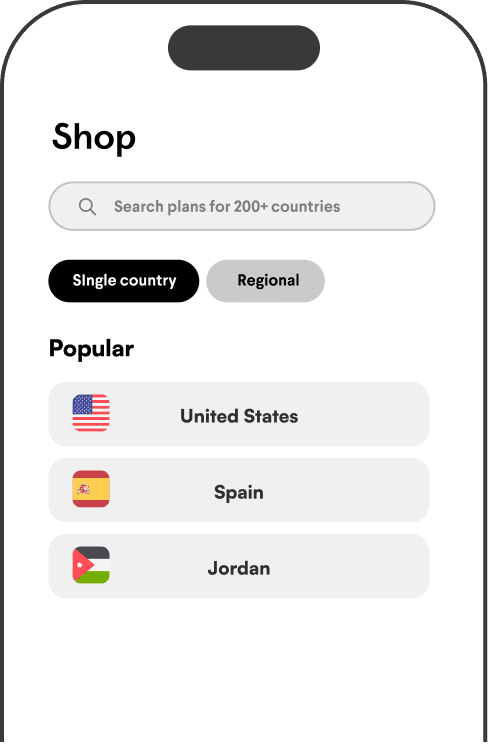
Select your eSIM
Select the country or region you are visiting by using our search or going to the Catalog page.
Step 2
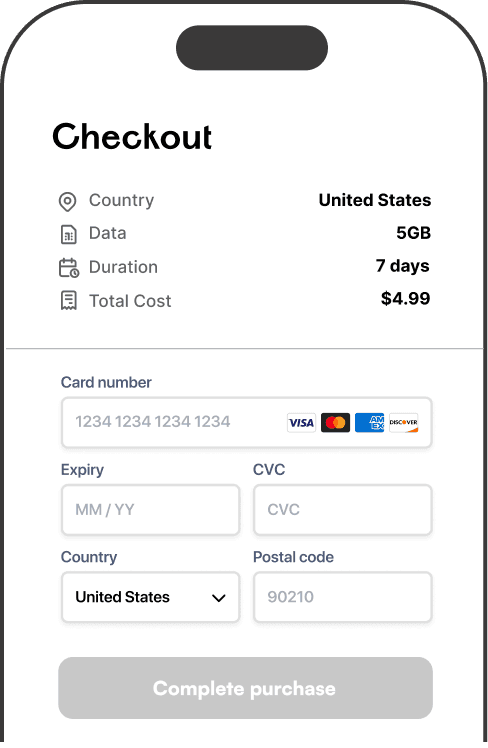
Purchase
Complete your purchase and your new eSIM will appear in your account.
Step 3
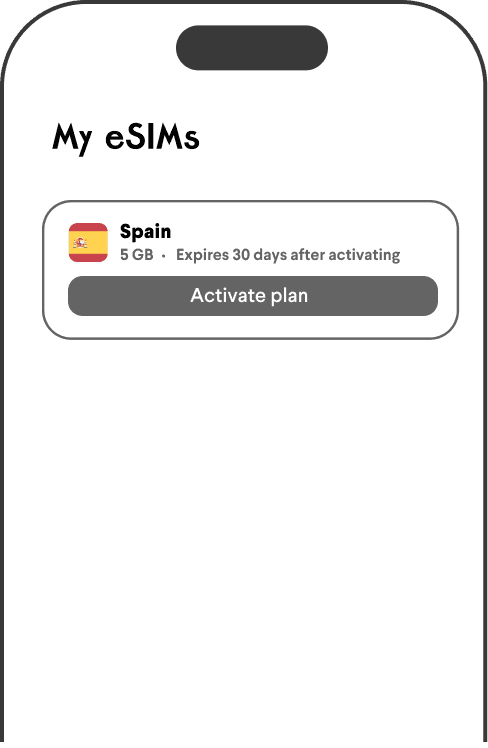
Activate
When you are ready to travel, activate your eSIM instantly on your device, turn off cellular roaming for your primary SIM card, and enjoy your trip.

 Coming soon!